
I have watched phishing attacks change year after year, but 2024 and 2025 marked a new, concerning spike. Criminals are targeting us through unexpected channels, mixing realistic technology like Docusign Maestro workflow notifications with fake invoices or subscription messages. Their goal: to trick people into panicking, calling fake support numbers, and handing over valuable information. Everyone should be on alert. Let me walk you through how these scams work, the red flags I always watch for, and how services like CloudSign.ie keep individuals and businesses safer in the digital world.
The rise of Docusign Maestro phishing
We have learned from FBI IC3 reports that 2024 broke records for internet crime losses, with $16.6 billion stolen through tactics like phishing, data extortion, and breaches. These numbers are not just statistics – nearly 860,000 people filed complaints, and the biggest threat category is exactly this: convincing, seemingly official messages pretending to be from trusted platforms.
In my professional experience, the new twist is how scammers blend Docusign workflow messages with outside communication. Phishing messages now often look like a seamless part of your business life – including fake Docusign Maestro notifications about invoices, documents, or account activity.
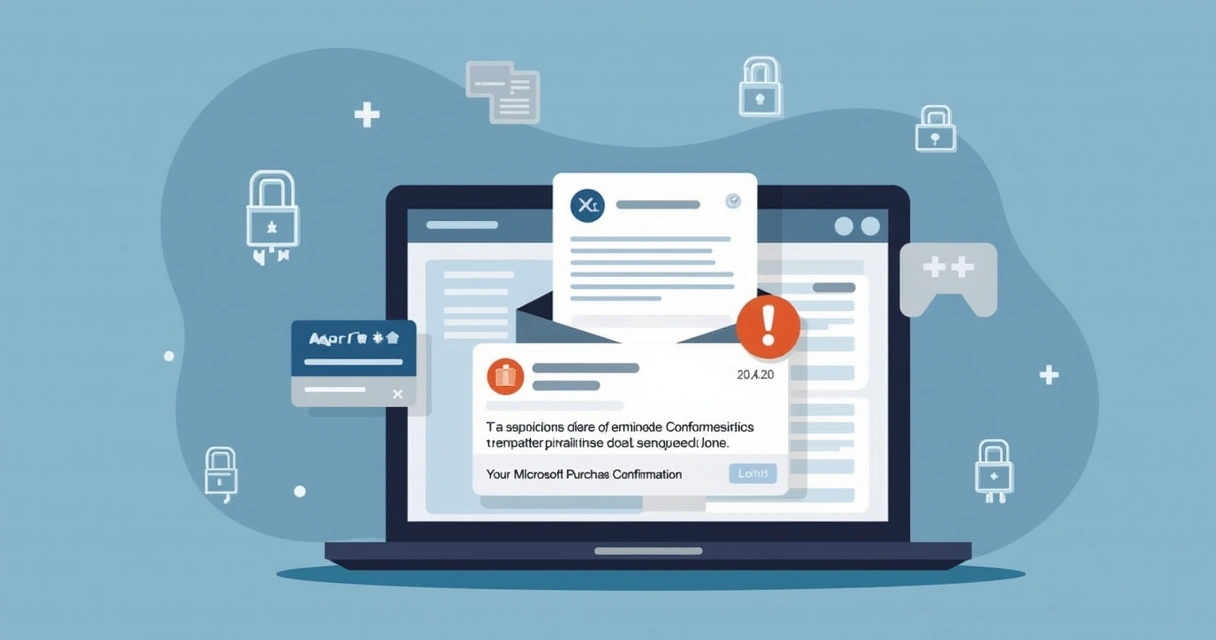
How Docusign Maestro phishing scams trick you
Let me share what is really happening: these emails do not just ask you to open a document. Instead, they tell you an expensive invoice or software subscription is complete, sometimes for hundreds of euros. They urge you to call a “support” phone number, which really connects you to the thieves. Sometimes you are asked to “confirm” information, or to follow a web link to “review the invoice.” Their hope is that you rush instead of thinking.
Some real subject lines I have spotted include:
- Your subscription remains active – Microsoft
- Your Microsoft Purchase Confirmation
- Invoice ready: Account Update Required
- Payment processed: Contact Support
Messages like this play on fear and urgency. According to a 2025 survey, about 25% of adults have already fallen for phishing by email or text. The reason? These scams mimic daily business workflows and sometimes even appear to come from inside your own company.
8 warning signs to spot Docusign Maestro phishing scams
Over the past years, I have developed a habit of pausing and checking for warning signs before reacting to any notification. I recommend you do the same. Here are the eight most common flags I see in these attacks:
- Unexpected or urgent requests for payment. If you receive a surprise invoice, payment confirmation, or alert about a large purchase you did not make, especially if it asks you to act quickly, be suspicious.
- Fake support phone numbers or links in the email. Real Docusign, Microsoft, and secure platforms will never urge you to call a customer service number listed in the message or to click on outside links for invoice correction.
- Generic greetings like “Dear user” instead of your real name. Many scams avoid using your real information because they do not have access to it.
- Sender email address does not match the official domain. These emails may look like “docusign-support@secure-mailupdate.com” or “microsoft-alerts@verify-subscriptions.com”. Double-check the sender. Official Docusign notices only come from their real domain.
- Poor spelling, grammar, or formatting mistakes in the message. These mistakes are subtle but common. Things like "Y0ur Subscripttion remmains active.”
- Invoices or purchase details that do not match your business workflow. If you do not recall approving or expecting the transaction, that is a strong indication something is wrong.
- Pressure to act now or threats if you do not respond quickly. Be wary of “your account will be deleted if you do not contact us in 24h.” Companies with real business with you do not operate like this.
- Files or attachments you were not expecting and requests to download them. Always verify before opening anything, even if it looks official at first glance.
I always tell clients and friends:
When in doubt, go straight to the official website or application, never trust shortcuts in messages.
CloudSign.ie users are protected by default, as real notification practices are clear, safe, and never ask for payment or signature actions through email links.
Stay safe: What to do if you suspect a scam
In my experience, the fastest way to avoid loss is this: do not interact with the suspicious message. Here are the actions I always recommend:
- Do not click any links or download attachments in the email/message.
- Do not call numbers provided by email or unexpected notifications.
- Open a new browser window, go to the company’s real website, and check your account or billing history from there.
- Save the suspicious message and report the incident immediately. You can usually find a “Report Abuse” button (in Docusign-related products) or file a report through portals like i-Sight.
- If you already entered personal or payment info, contact your bank, update your passwords, and consider professional help, especially if company data was involved.
Always take a moment to confirm. In 2025, major crime spikes followed new tricks like QR code phishing, AI voice-clone support calls, and “smishing” SMS attacks, as shown in public advisories and industry warnings.
If you want to build a natural “phishing sense,” I found CloudSign.ie’s guide on scam e-signature requests and their overview of fake Docusign invoices full of practical examples. You can also learn about handling sensitive documents and the realities of e-signature laws in Ireland to stay compliant and secure.
CloudSign.ie: A safer alternative to risky email workflows
Unlike some legacy e-signature providers known for being frequent scam targets, CloudSign.ie has modern protections that make phishing attempts much less likely. Our platform does not request signatures, payments, or identity confirmation through direct email links, and every workflow is guarded by strong AI-driven risk monitoring. For individuals, the free plan (covering one sender and up to 21 documents monthly) already delivers secure signing from any device, with every important transaction traceable inside the trusted portal, not lost in your inbox.
Clients from freelancers to large companies have told me that these extra safety steps help them sleep better at night.
Security is not just a setting. It is a habit, powered by the right tools.
Conclusion: Always confirm before you click
We live and work in times where our business and personal lives move at digital speed. Each notification might be a real opportunity or a costly scam. With more than 70% of adults reporting at least one online attack in recent surveys, it is wise to treat every surprise invoice or workflow request with healthy suspicion. I have seen many cases where a two-minute pause makes all the difference. If your workflow lets you, use a proven secure provider such as CloudSign.ie that stays ahead of criminal tactics. If you are ready, try CloudSign.ie for free, even at the individual level, and bring certainty back to your digital life.
Frequently asked questions
What is a Docusign Maestro phishing scam?
A Docusign Maestro phishing scam is a fraudulent message pretending to be from Docusign’s workflow system, often about invoices or account actions, with the real goal of stealing your information or money. Scammers may use fake email addresses, urgent subject lines, or even call-back numbers to trick people into giving up private data.
How to spot Docusign Maestro scam emails?
You can spot these by looking for: unexpected invoices or payment requests, sender addresses that are not official, poor grammar or formatting errors, generic greetings, pressure to act fast, and any phone numbers or links urging you to contact support. Always check both the sender and message content, and do not use provided links or numbers, visit the official company site instead.
What should I do if I clicked?
If you clicked a suspicious link or entered details, disconnect from the internet if possible, change your passwords, alert your IT or security team, contact your bank (for payment info leaks), and report the scam using the “Report Abuse” button or the company’s online portal. Quick action can often limit the damage and help protect your accounts from further compromise.
Are Docusign Maestro emails always safe?
No. While real Docusign messages are safe, scams can closely mimic them. You should always check for warning signs, verify through official channels, and avoid acting on surprise emails without confirming first. Secure platforms like CloudSign.ie use protective measures to reduce risk.
How can I report a Docusign Maestro scam?
Forward the suspicious message to Docusign’s abuse team or use the “Report Abuse” option in their platform if available. You can also use online portals such as i-Sight to file a case. Keeping a copy of the message helps investigators track recurring threats and protect others from falling victim in the future.